A scratch page — a quick reference for how the basic Markdown structures compose, and a live sample to eyeball the site’s styling (tables especially). English-only by design.
Text formatting
Plain text with bold, italic, bold italic, inline code, strikethrough, and an
internal link to the digital garden
. External links get the ↗ marker, e.g.
Hugo
.
Headings
Use # through ######. On this site the note title is the <h1>, so bodies start at ##.
Third-level heading
Fourth-level heading
Lists
Unordered:
- First item
- Second item
- Nested item
- Another nested item
- Third item
Ordered:
- Step one
- Step two
- Step three
Task list
GitHub-style checkboxes (- [ ] / - [x]), rendered by goldmark’s task-list extension:
- Something already done
- Another finished item
- Still to do
- One more, not done
Horizontal rule
Three dashes (---) on their own line become a divider:
Blockquote
A blockquote — one line of quiet catalog note. It can span multiple lines and hold inline formatting just like a paragraph.
Callout
The callout shortcode marks a quiet catalog note with a line-icon (pure CSS — no SVG in the body:
.callout--<kind>::before masks static/icon-<kind>.svg). The kind is arg 0, default info.
An info callout — use it for an aside the reader can skip: a caveat, a pointer to related material, or a note about how something works. Holds normal inline formatting and links .
A warning callout — a warmer amber surface for something the reader should not miss: a caveat that bites, a gotcha, a “don’t do this”.
A note callout — the quietest, on a neutral-grey surface: a plain remark set a little apart from the running text.
Code block
def compose(md):
    """Fenced code keeps its own monospace box."""
    return "\n".join(md)
Math
Opt-in per page with math: true in the front matter (loads KaTeX only then). Inline math uses
\( … \), e.g. Euler’s identity \(e^{i\pi} + 1 = 0\). A display equation uses $$ … $$:
Images
A plain Markdown image renders at natural size, capped at the content width (CSS
max-width:100%). Here a static asset under /img/ (served on both hosts):
Sizing
To actually resize an image (a real smaller file, not just browser scaling) use the img
shortcode on a bundle image — one that lives beside the note in media/ — and set width in px:
{{< img src="media/digital-garden.jpeg" width="400" alt="Digital garden tree" >}}

More knobs: size="600x400 webp q80" (full Hugo spec), class="img-right" (float right),
lightbox="true" (click opens the original).
Obsidian-style width in plain Markdown
For the common case (just a width) there’s a shorter way that also renders in the FOAM/Obsidian
editor: put |<width> on the alt text of a normal Markdown image. On a bundle image it does
a real resize, same as the shortcode:

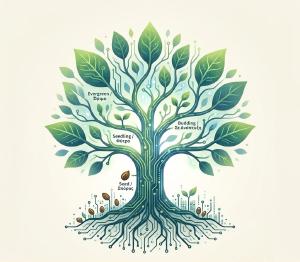
|300x200 sets both dimensions. On a cross-bundle/static path (e.g. /img/og-default.png) the
size falls back to plain attributes (browser scaling); without |<n> the image is untouched
(natural size, capped at the content width).
Table — short titles (should NOT wrap)
| Sym | Qty | Unit | Price |
|---|---|---|---|
| A | 3 | kg | 4.50 |
| B | 12 | pcs | 0.90 |
| C | 1 | box | 22.00 |
Table — long titles (1–2 columns SHOULD wrap)
| Key | Full descriptive column heading that should wrap onto two lines | Status | Another rather long column title here for good measure |
|---|---|---|---|
| one | short cell value | ok | short |
| two | a longer cell so the row has some body to it | pending | a longer cell here too, to see wrapping in a wide column |
| three | tiny | done | tiny |
Everything at once (composition)
A paragraph can mix a link
, code, emphasis, and a footnote-style aside — then
hand off to a list, a quote, or a table without any ceremony. That’s the point of Markdown: the
structures stack in reading order and the theme gives each one its look.
Footnotes
Standard Markdown footnotes.1 They auto-number, render as a list at the end of the page, and on this site also get a hover tooltip + smooth-scroll.2